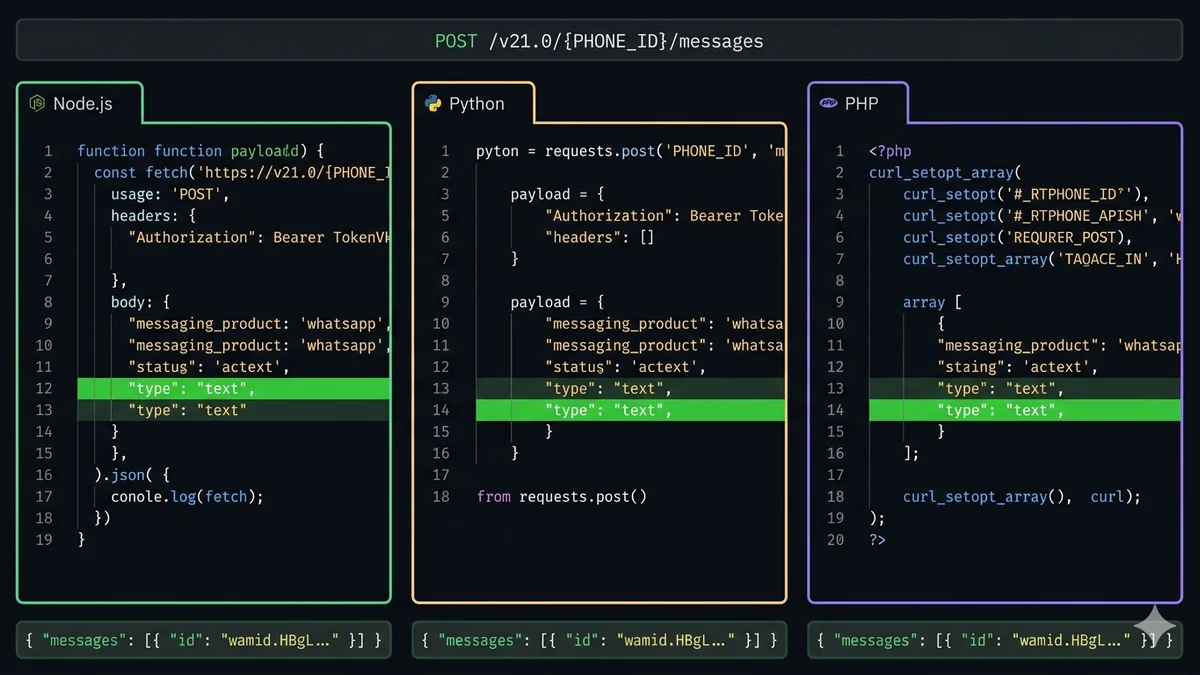
API-Grundlagen: der eine Endpunkt, durch den alles läuft
Jede ausgehende WhatsApp-Nachricht — unabhängig vom Typ — läuft über einen HTTP-POST-Endpunkt. Der Nachrichtentyp und der Inhalt stehen im JSON-Body. Das war's. Keine WebSockets, kein Streaming, kein Long-Polling.
API Endpoint
POST https://graph.facebook.com/v21.0/{PHONE_NUMBER_ID}/messages
Authorization: Bearer {ACCESS_TOKEN}
Content-Type: application/json
// PHONE_NUMBER_ID — numerische ID für Ihre WhatsApp-Nummer (NICHT die Telefonnummer selbst)// Wo finden: Meta Developer Dashboard → WhatsApp → Phone Numbers// ACCESS_TOKEN — permanenter System-User-Token// Wo finden: Meta Business Settings → System Users → Generate Token
Drei Werte, die Sie brauchen, bevor irgendein Code läuft:
Phone Number ID — eine numerische ID für Ihre WhatsApp-Business-Nummer (sieht aus wie 123456789012345). Unterschiedlich von Ihrer tatsächlichen Telefonnummer.
Access Token — ein permanenter System-User-Token mit der Berechtigung whatsapp_business_messaging. Verwenden Sie niemals einen temporären User-Token in der Produktion.
Telefonnummer des Empfängers — im E.164-Format: Ländercode + Nummer, ohne Leerzeichen, ohne Bindestriche, ohne Pluszeichen im JSON-Wert (z. B. 15550001234 für eine US-Nummer, oder mit + ebenfalls akzeptiert: +15550001234).
Ein erfolgreicher Versand gibt HTTP 200 mit einem Body wie diesem zurück:
Bevor Sie einen Nachrichtentyp wählen, müssen Sie wissen, ob Sie sich in einem Service-Fenster befinden. Das Session-Fenster (24 Std. nachdem ein Kunde Ihnen geschrieben hat, oder 72 Std. nach einem Click-to-WhatsApp-Anzeigenklick) bestimmt, welche Nachrichtentypen kostenlos und uneingeschränkt sind.
💬
text
Reiner Text. Markdown-ähnliches WhatsApp-Format unterstützt. Bis zu 4.096 Zeichen.
Frei im Fenster
📋
template
Vorab genehmigtes Format mit Variablen-Platzhaltern. Erforderlich zum Initiieren außerhalb des Fensters.
Genehmigung nötig
🖼️
image
JPEG oder PNG. Max. 5 MB. URL oder Media ID. Optionale Bildunterschrift.
Frei im Fenster
📄
document
PDF, DOCX, XLSX. Max. 100 MB. URL oder Media ID. Dateiname sichtbar.
Frei im Fenster
🎬
video
MP4 oder 3GPP. Max. 16 MB. URL oder Media ID. Optionale Bildunterschrift.
Frei im Fenster
🔘
interactive
Button-Antworten (max. 3) oder Listennachrichten (max. 10 Einträge). Kunde tippt zum Antworten.
Frei im Fenster
📍
location
Sendet lat/lng mit optionalem Namen und Adresse. Wird als Karte in WhatsApp gerendert.
Frei im Fenster
🎵
audio
MP3 oder AAC. Max. 16 MB. URL oder Media ID. Keine Bildunterschrift unterstützt.
Frei im Fenster
Eine Textnachricht senden
Der einfachste Versand. Funktioniert im 24-Stunden-Service-Fenster ohne Meta-Gebühren (innerhalb des Kontingents von 1.000 kostenlosen Service-Konversationen/Monat). Außerhalb des Fensters verwenden Sie stattdessen eine Vorlage.
Vorlagen sind erforderlich für die erste Nachricht einer neuen Konversation oder jede Nachricht, die außerhalb des 24-Stunden-Service-Fensters gesendet wird. Vorlagen werden im WhatsApp Manager definiert, von Meta genehmigt und können Variablen-Platzhalter {{1}}{{2}} enthalten. Ihr API-Aufruf füllt diese Variablen zum Sendezeitpunkt aus.
Zeitrahmen der Vorlagengenehmigung: Einfache Utility-Vorlagen (Bestellbestätigungen, Versand-Updates) werden typischerweise in 1–24 Stunden genehmigt. Marketing-Vorlagen brauchen 1–5 Werktage. Sie können den Genehmigungsstatus per Webhook-Abonnement message_template_status_update oder im WhatsApp Manager prüfen. Vorlagen mit abgelehntem Status können nicht gesendet werden — das Senden einer nicht-APPROVED-Vorlage gibt einen 400-Fehler zurück.
Medien-Nachrichten verweisen auf eine Datei entweder per URL (die Datei muss öffentlich über HTTPS erreichbar sein) oder per Media ID (erhalten nach dem Hochladen der Datei auf Metas Medien-Endpunkt). URL ist für die meisten Anwendungsfälle einfacher — die Cloud API holt sie und cacht sie. Media IDs sind besser für häufig wiederverwendete Assets wie Produktbilder oder gebrandete PDFs.
Interaktive Button-Nachrichten erlauben Kunden, mit einem Tap statt mit Tippen zu antworten. Maximal 3 Buttons pro Nachricht. Button-Titel sind auf 20 Zeichen begrenzt. Wenn ein Kunde einen Button tippt, empfängt Ihr Webhook eine Nachricht vom Typ interactive mit der id des Buttons in msg.interactive.button_reply.id.
Standort-Nachrichten werden als Karten-Pin in WhatsApp gerendert mit optionalem Namen und Adresse darunter. Kunden können tippen, um die Karten-App zu öffnen. Keine URL oder Media ID nötig — nur Koordinaten.
Request body (all languages)
{
"messaging_product": "whatsapp",
"to": "+15550001234",
"type": "location",
"location": {
"latitude": 40.712776,
"longitude": -74.005974,
"name": "SocialHook HQ", // optional — wird über der Adresse angezeigt"address": "123 Main St, New York, NY"// optional
}
}
Massenversand: Rate-Limits und das richtige Muster
Die WhatsApp Cloud API erlaubt standardmäßig 80 Nachrichten pro Sekunde pro Telefonnummer. In diesem Tempo dauert das Senden von 10.000 Nachrichten etwa 2 Minuten. Ohne Rate-Limiting erschöpft eine naive Schleife das Limit fast sofort, und Sie erhalten mitten in der Kampagne 429-Fehler. Das richtige Muster: einen festen Delay zwischen Sendungen hinzufügen und exponentielles Backoff bei 429 implementieren.
Nachricht von Meta akzeptiert — noch nicht zugestellt
Den zurückgegebenen wamid speichern und auf Zustellstatus-Webhooks lauschen
400 Bad Request
Ungültiges JSON, fehlendes Pflichtfeld, Vorlage nicht genehmigt, Anzahl der Vorlagenvariablen passt nicht
Body der Fehlerantwort prüfen — Meta gibt eine detaillierte error.message zurück, die das genaue fehlgeschlagene Feld oder die Einschränkung erklärt
401 Unauthorized
Ungültiger oder abgelaufener Access-Token; fehlender Authorization-Header
Einen permanenten System-User-Token neu generieren. Niemals temporäre User-Tokens in der Produktion verwenden — sie laufen nach 60 Tagen ab
404 Not Found
Falsche Phone Number ID in der URL; Nummer nicht auf der Cloud API registriert
Die Phone Number ID im Meta Developer Dashboard → WhatsApp → Phone Numbers prüfen. Bestätigen, dass die Nummer registriert und verifiziert ist.
429 Too Many Requests
80-msg/s-Rate-Limit überschritten oder API-Aufrufrate-Limit
Exponentielles Backoff mit Jitter implementieren. 15–20 ms Delay zwischen Sendungen bei Massenoperationen hinzufügen. Nicht sofort wiederholen.
460 (Meta-intern)
Empfängernummer nicht auf WhatsApp registriert
Die Telefonnummer ist kein WhatsApp-Nutzer. Aus Ihrer Liste entfernen. Das ist keine zustellbare Nummer.
131026
Nachricht nicht zustellbar — Beschränkungen des WhatsApp-Kontos des Empfängers
Der Empfänger könnte Ihre Nummer blockiert haben oder sein Konto ist beschränkt. Loggen und überspringen.
500 / 503
Meta-Infrastruktur-Ausfall oder temporärer Fehler
Mit exponentiellem Backoff wiederholen. metastatus.com auf aktive Vorfälle prüfen. Nicht mehr als 3 Mal wiederholen.
Vollständige WhatsApp-Client-Klasse (Node.js)
Die obigen Funktionen in einer wiederverwendbaren Klasse mit eingebauter Retry-Logik, konsistenter Fehlerbehandlung und umgebungsbasierter Konfiguration:
Die andere Hälfte: Antworten empfangen mit SocialHook
Das Senden von Nachrichten ist nur die halbe Miete. Wenn Ihr Kunde antwortet, feuert die WhatsApp Cloud API einen Webhook an Ihren Server — aber Sie brauchen einen öffentlich erreichbaren HTTPS-Endpunkt, um ihn zu empfangen, plus HMAC-SHA256-Signaturverifizierung, Extraktion verschachtelter Payloads und Retry-Handling.
SocialHook übernimmt die gesamte Eingangsschicht. Verbinden Sie Ihre WhatsApp-Nummer mit SocialHook, fügen Sie die URL Ihres Servers als Ziel ein, und jede Kundenantwort kommt als normalisiertes JSON-Ereignis an — verifiziert, aus Metas verschachteltem Umschlag extrahiert und in unter 50 ms an Ihren Endpunkt weitergeleitet. Dasselbe flache Format funktioniert auch für Facebook Messenger und Instagram DMs.
Das vollständige Setup: Ihr Server nutzt den obigen WhatsAppClient für ausgehende Nachrichten, SocialHook liefert eingehende Ereignisse an Ihren Webhook-Handler. Zwei Richtungen, eine Pauschale von 50 $/Monat. Siehe den vollständigen Eingangs-Webhook-Leitfaden oder beginnen Sie mit dem 5-Minuten-Quickstart.
FAQ
Häufige Fragen
Wie sende ich eine WhatsApp-Nachricht über die Cloud API?
POST an https://graph.facebook.com/v21.0/{PHONE_NUMBER_ID}/messages mit Ihrem Authorization: Bearer {ACCESS_TOKEN}-Header und einem JSON-Body mit messaging_product: "whatsapp", to: "+E.164_number", type: "text" und text: { body: "message" }. Vollständigen Code für Node.js, Python und PHP finden Sie im Textnachrichten-Abschnitt oben.
Was ist die WhatsApp-Phone-Number-ID und wo finde ich sie?
Die Phone Number ID ist ein numerischer Identifier für Ihre spezifische WhatsApp-Business-Nummer auf der Cloud API — sie ist verschieden von der tatsächlichen Telefonnummer. Finden Sie sie im Meta Developer Dashboard → WhatsApp → Phone Numbers. Sie sieht aus wie eine 15–16-stellige Zahl. Verwenden Sie sie in der URL: graph.facebook.com/v21.0/{PHONE_NUMBER_ID}/messages. Eine Telefonnummer hat eine ID, die sich nie ändert.
Was ist der Unterschied zwischen einer Session-Nachricht und einer Vorlagen-Nachricht?
Eine Session-Nachricht (Text, Bild, Buttons, Standort, Dokument) kann nur innerhalb des 24-Stunden-Service-Fensters gesendet werden, das sich öffnet, wenn ein Kunde Ihnen zuerst schreibt. Diese sind innerhalb des Monatskontingents kostenlos. Eine Vorlagen-Nachricht ist ein von Meta genehmigtes Format, das zum Initiieren neuer Konversationen oder zum Senden außerhalb des Service-Fensters erforderlich ist. Vorlagen müssen genehmigt werden (1–24 Std. für Utility, bis zu 5 Tage für Marketing), bevor sie gesendet werden können.
Was passiert, wenn ich einen 429 von der WhatsApp Cloud API erhalte?
Sie haben das Rate-Limit erreicht (80 msg/s standardmäßig). Exponentielles Backoff implementieren: vor dem Retry 1000 * 2^attempt + random(500) ms warten, gedeckelt auf 60 Sekunden. Jitter (die Zufallskomponente) hinzufügen, um synchronisierte Retries von mehreren Workern zu verhindern. Für Massenkampagnen einen festen 15–20-ms-Delay zwischen Sendungen hinzufügen, um sicher unter dem Limit zu bleiben, statt es zu erreichen und zu retryen.
Wie sende ich eine WhatsApp-Vorlage mit Variablen in Python?
Setzen Sie "type": "template" und fügen Sie ein components-Array mit einer Body-Komponente, die parameters enthält — ein Objekt pro Variable in Ihrer Vorlage. Jeder Parameter ist {"type": "text", "text": "variable_value"}. Sie ordnen sich sequenziell zu {{1}}, {{2}}, {{3}} in Ihrer Vorlage zu. Vollständigen Python-Code finden Sie im Vorlagen-Abschnitt oben.
Wie empfange ich WhatsApp-Antworten von Kunden?
Kundenantworten kommen per Webhook an — Meta feuert einen HTTP POST an Ihren registrierten Endpunkt, wenn ein Nachrichtenereignis auftritt. Sie brauchen eine öffentlich erreichbare HTTPS-URL, HMAC-SHA256-Signaturverifizierung und Parsing verschachtelter Payloads. SocialHook übernimmt all das automatisch und liefert sauberes JSON in unter 50 ms an Ihren Endpunkt. Das vollständige Setup finden Sie in unserem Eingangs-Webhook-Leitfaden.
Sie können senden. Jetzt auch Antworten empfangen.
Ihr ausgehender Code ist bereit. Verbinden Sie SocialHook für den Eingang — jede Kundenantwort kommt als sauberes JSON an Ihrem Webhook-Endpunkt an. Kein HMAC-Boilerplate, kein verschachteltes Payload-Parsing, keine Retry-Infrastruktur zum Aufbauen.
Aufhören, Meta APIs zu verwalten. Anfangen zu bauen.
Verbinde dein erstes Facebook-, Instagram- oder WhatsApp-Konto in unter 2 Minuten. Dein Webhook erhält sein erstes Payload, bevor dein Kaffee kalt wird.